

Excel Crash Course
Couldn't load pickup availability
ISBN: 9789365895636
eISBN: 9789365891812
Authors: Vinai Prakash
Rights: Worldwide
Edition: 2026
Pages: 444
Dimension: 7.5*9.25 Inches
Book Type: Paperback
- Description
- Table of Contents
- About the Authors
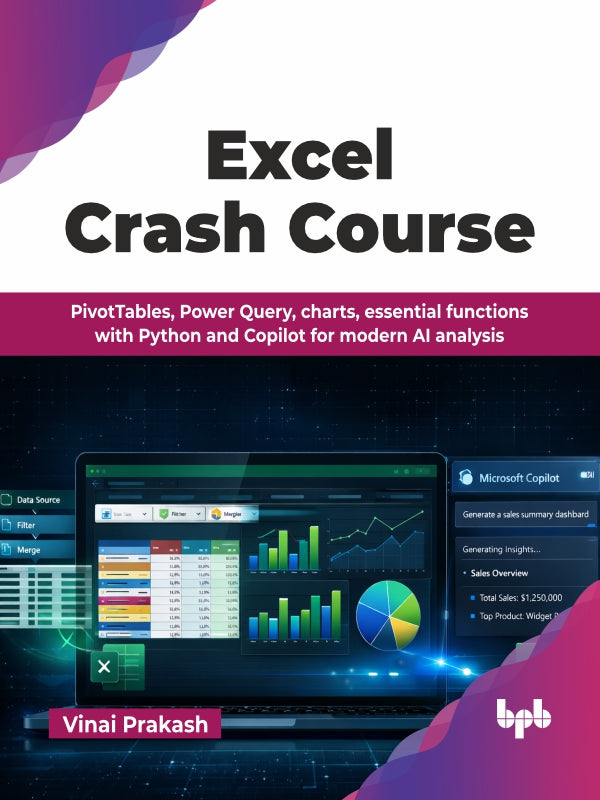
Excel is a powerful tool for data management and analysis, and mastering its tools is vital for anyone aiming to boost productivity in a data-driven world. This book is designed to help you master Excel’s vast capabilities, guiding you from fundamental skills to advanced techniques for data analysis, visualization, and data management.
In the beginning, we cover basics like data entry, formatting, essential formulas, sorting, filtering, using tables, handling duplicates, and visualizing data with charts. Then, we dive into PivotTables, cleaning and transforming data, managing large datasets, named ranges, Excel shortcuts, templates, sharing and protecting data, and handling errors. You will learn modern Office 365 features, including the PY function for Python integration and Microsoft Copilot for AI-powered prompting.
By the end of this book, you will be well-equipped to transform raw data into professional dashboards and possess a practical understanding of advanced Excel logic. You will become confident in Excel skills to analyze data, optimize workflows, and create compelling reports, making this book your essential guide to mastering Excel.
WHAT YOU WILL LEARN
● Understand formulas and functions confidently.
● Analyze data with PivotTables and dynamic dashboards.
● Automate data cleaning via Power Query and nested text functions.
● Boost productivity with Excel shortcuts, tips, and best practices.
● Integrate Microsoft Copilot AI prompts and Python-based PY function analysis.
● Work faster, analyze smarter, and deliver insights.
WHO THIS BOOK IS FOR
This book is designed for everyday Excel users, data analysts, finance professionals, business executives, and managers who want to enhance their productivity, find answers quickly, analyze data, and get work done efficiently.
1. Introduction to Excel
2. Quick Data Input and Formatting
3. Formulas and Functions
4. Managing Data
5. Create Amazing Charts and Visualize Data
6. Unlocking the Power of PivotTables for Data Analysis
7. Working with Large Datasets
8. Data Cleaning Made Easy
9. Boost Productivity in Excel
10. Troubleshooting Excel Files
11. Advanced PivotTable Mastery
12. Excel Formatting Unleashed
13. Advanced Excel Formulas
14. Using Power Query to Transform Data
15. Excel Best Practices
16. Latest Functions and Tools in Excel
17. Applying Artificial Intelligence with Excel Copilot
Vinai Prakash has been working in the field of business intelligence and data analytics for more than 35 years, playing a central role in numerous projects as a technical leader and soft- ware architect. He has helped large and small companies in building and implementing solu- tions that help them view the key performance indicators and deep dive to identify the gaps and issues that, when addressed, can help to enhance efficiency in operations and lead to better strategic results.
Vinai is the founder and master trainer at Intellisoft Training in Singapore for the past 23 years. He has trained thousands of participants in using Excel for data analytics and interpretation through data visualization techniques in Singapore, India, Malaysia, the USA, Zimbabwe, Egypt, Dubai, Australia, New Zealand, to name a few. He loves to dabble with Excel, Power Query, Power Pivot, Power BI, Python, and PHP programming, often creating useful reports and templates in a short time. His keen sense of detail helps him identify trends and gaps in data that are often missed by others.
Vinai loves to share his love for Excel and has created several courses, videos, and articles on his blog to help new and experienced people learn new shortcuts, tips, tricks, and techniques to analyze and summarize data quickly, and get more out of Excel with the least effort, helping decision makers make decisions faster! Vinai lives in Singapore with his wife and two boys.